The Buying Power calculator helps you quickly and simply illustrate affordability scenarios by showing how loan amounts and interest rates interact to affect monthly payments. To get started, enter your client's loan details to instantly see calculated monthly payments. A payment matrix will then be generated so you can easily show your clients how loan amounts would need to adjust with changing interest rates to maintain consistent monthly payments.
Navigating to the Buying Power Calculator
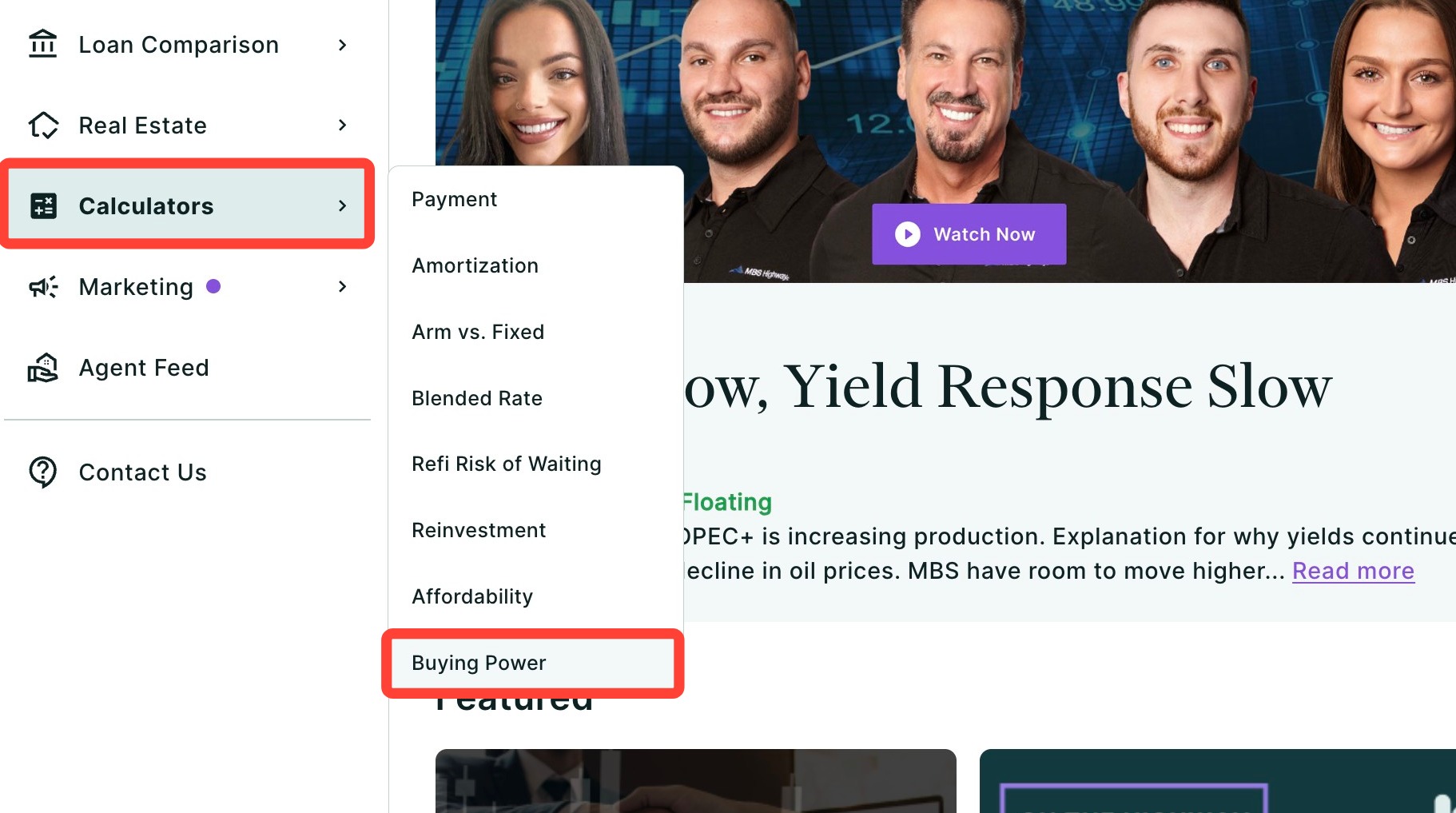
You can find your Buying Power calculator within Client Manager as well as within the Calculator tab of the left-hand navigation menu.
Navigating through the Client Manager
Client Manager allows you to create reports for your clients using previously saved loan and property details, saving you time when building new scenarios. To learn more, click here.
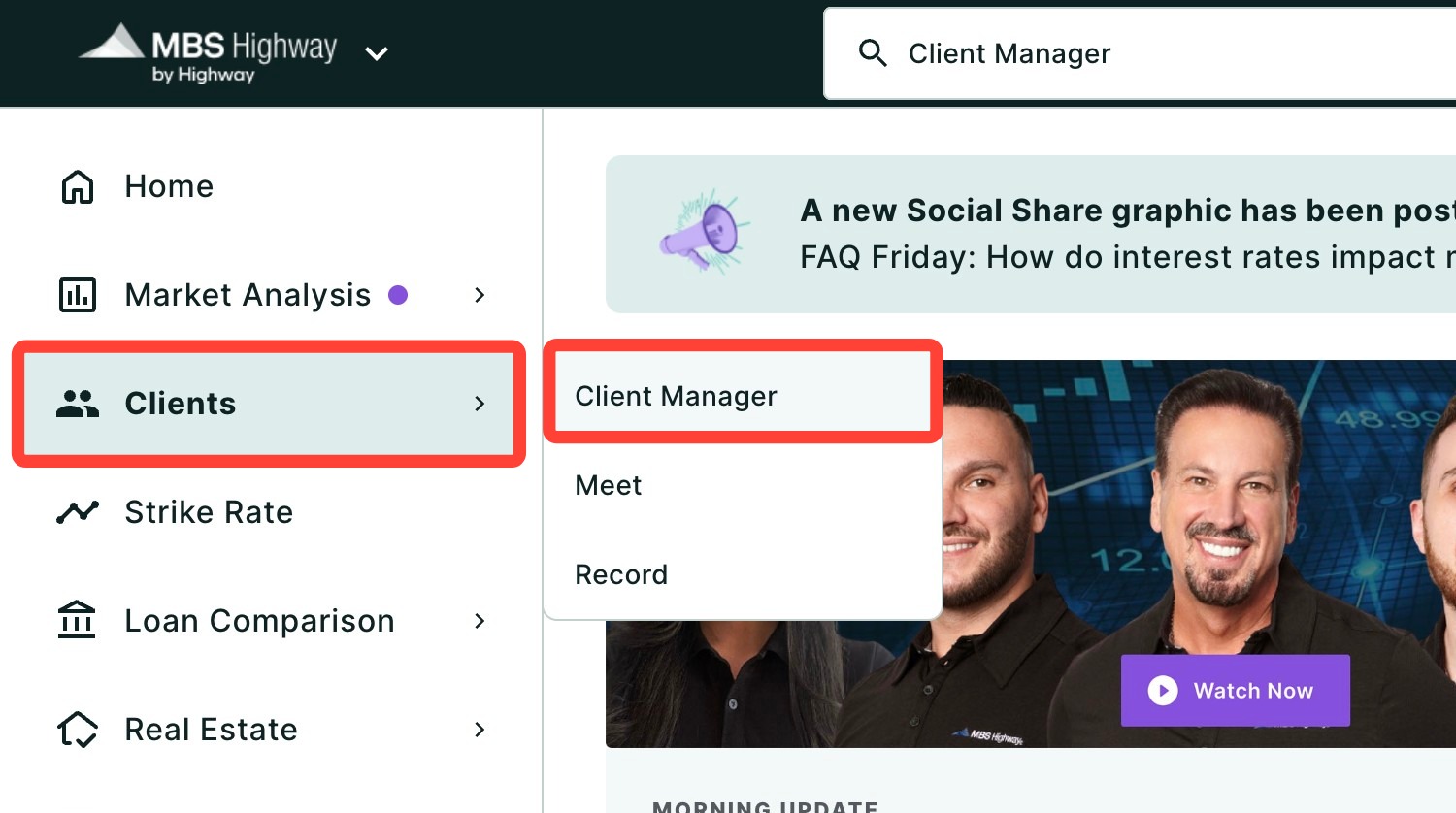
Navigating through the left-hand sidebar menu
To access the Buying Power Calculator using the left-hand sidebar menu, click Calculators, then click Buying Power.
💡 Helpful Tip: You can also search and favorite reports, tools, and calculators. Click here to learn how.
|
How to Create a Buying Power Report
1. Choose a client by typing their name in the field below and selecting them from the drop-down.
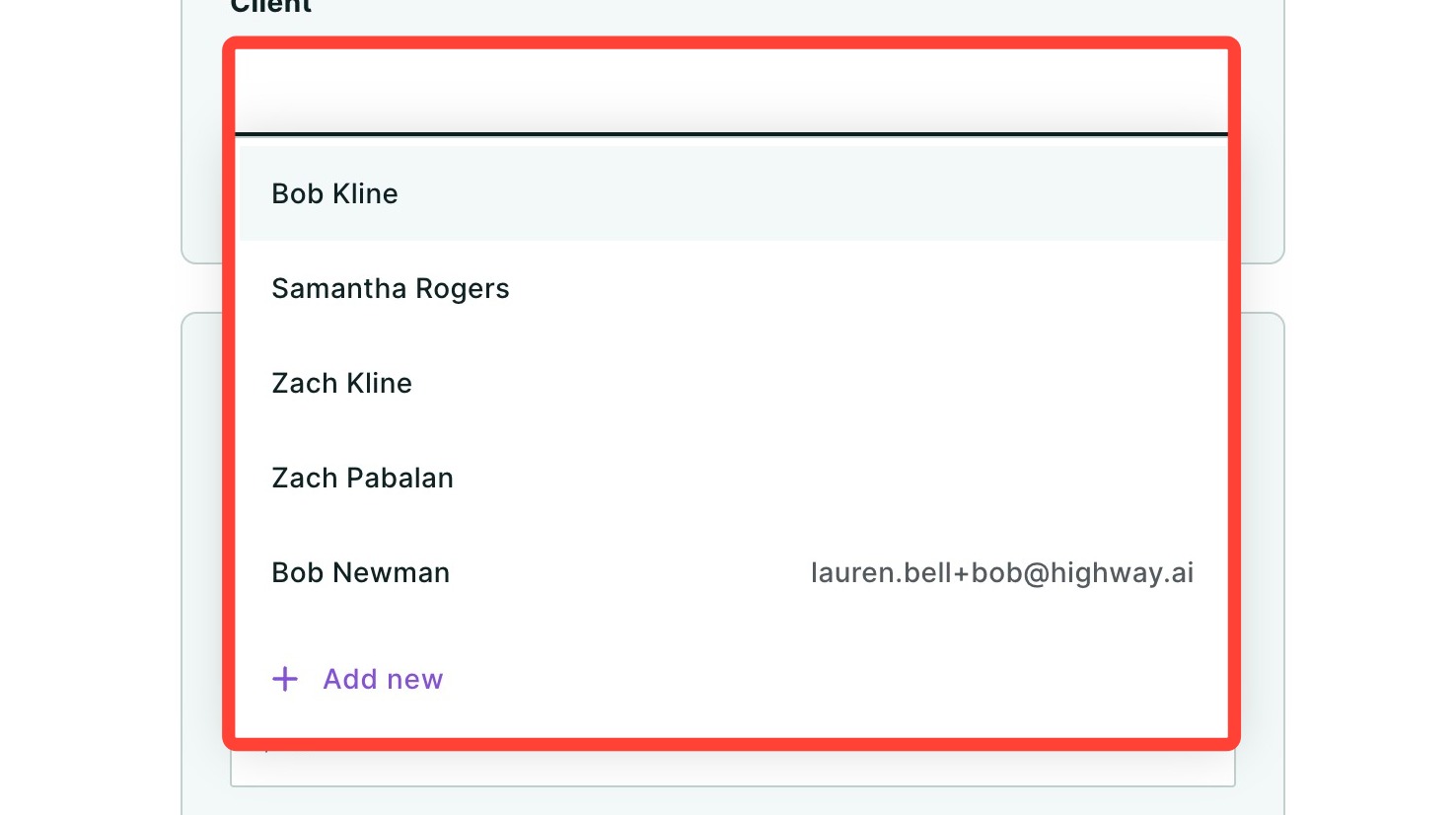
2. To add a new client, select + Add new from the drop-down.
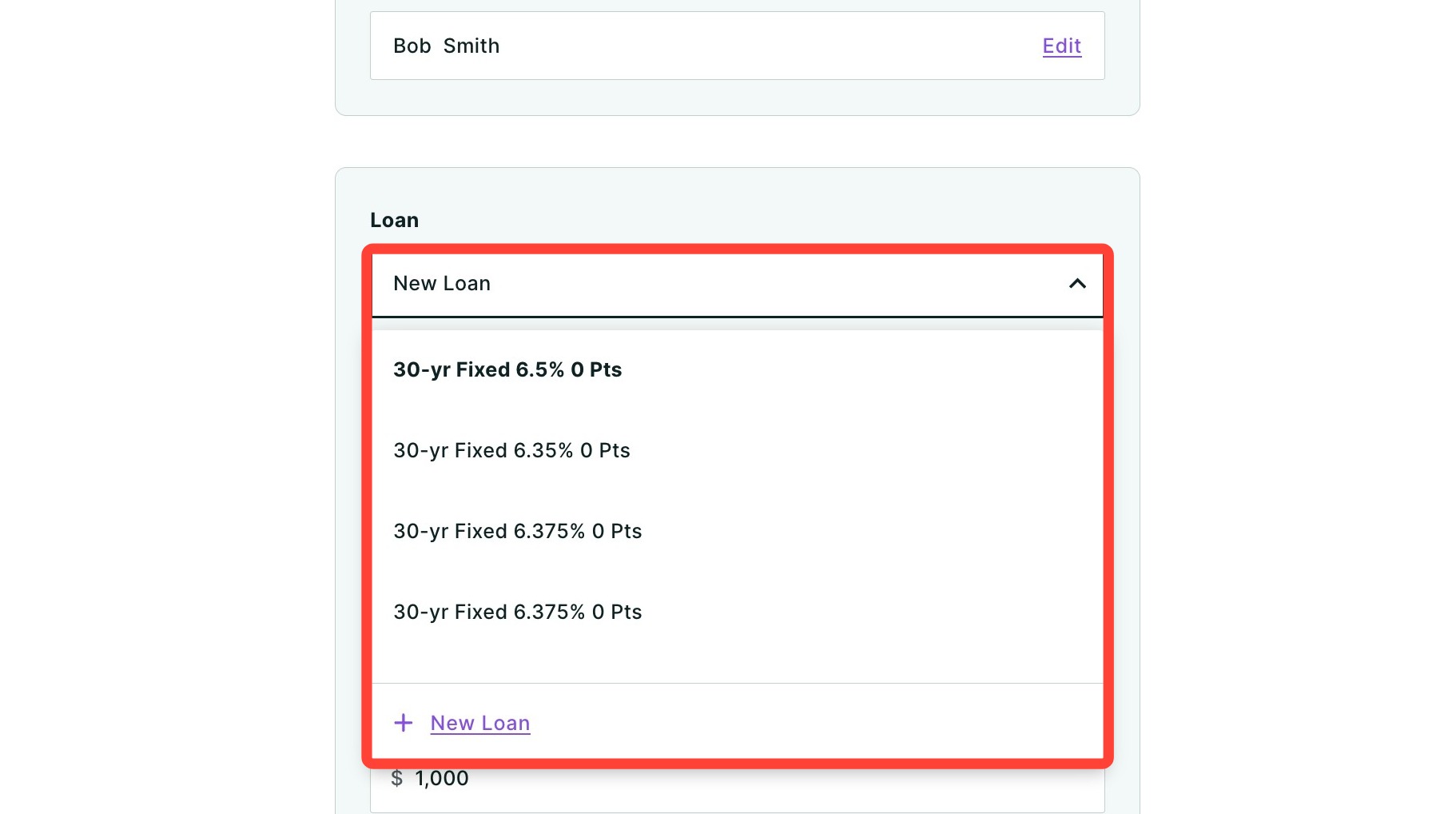
3. Choose a previously saved loan in the dropdown or select + New Loan to enter new loan information including Loan Amount, Rate, APR, and APR Costs.
💡 Helpful Tip: Property and loan information is saved to your client, so any updates or changes made will automatically apply across all of their reports where those properties and loans are used.
|
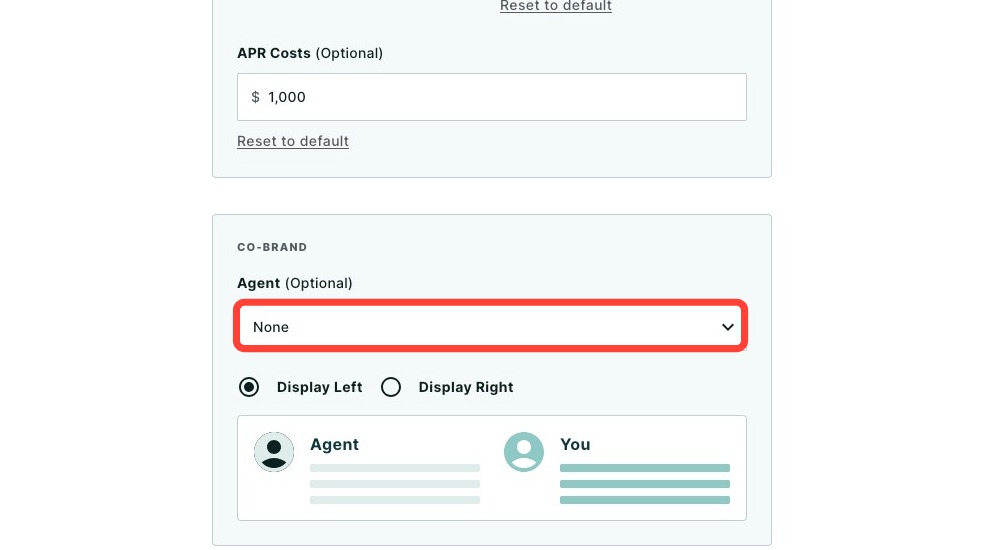
4. Optional: Choose or add an agent to co-brand with you on the report using the dropdown.
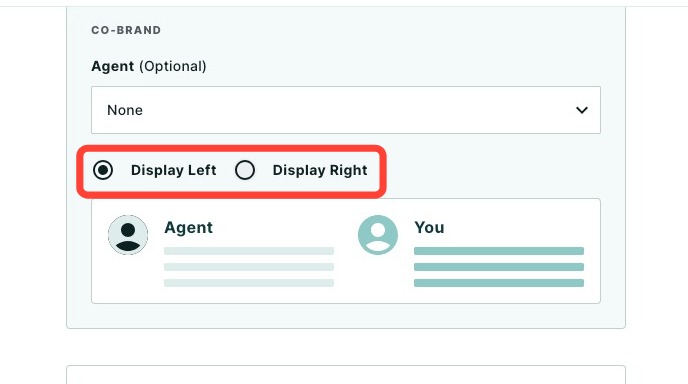
5. Choose how you would like you and the agent's co-branding displayed on the report.
Generating the Monthly Payment
After entering your loan details, the monthly payment will automatically be calculated based on your inputs.

Understanding the Monthly Payment Matrix
The matrix illustrates how different loan amounts and interest rates affect one another to determine your client's monthly payments. It can help you quickly demonstrate affordability and guide financial conversations. There are two primary ways to use it:
Maintain a fixed monthly payment by adjusting the loan amount:
The highlighted diagonal cells show combinations of loan amounts and interest rates that result in the same monthly payment. This helps you visually explain to clients that as interest rates rise, they'll need to borrow less to keep their monthly payments affordable.-
Maintain a fixed loan amount and see how payments change as interest rates fluctuate:
Viewing a single row horizontally shows your clients how much they can expect monthly payments to increase or decrease as interest rates rise and fall.- 💡 Helpful Tip: Use the Show all values toggle seen below to view all monthly payments for each row.
Additional Features for Reviewing
Use the arrows at the top corners of the matrix to navigate and view additional interest rate scenarios.

Select the Show all values toggle to display all matrix values simultaneously, providing a comprehensive overview at a glance.

Sharing the Report
Once you have clicked Calculate, you will be brought to the report. You may click the Edit button to make further adjustments. To share the completed report, click Share. A dropdown menu will appear.
- Click Download to download the report as a PDF.
- Click Send a link via email with an optional video recording (not available for some users depending on their company permission settings).
- Click Host a meeting to virtually meet to discuss the report with your client.
- Click Record a Video to provide your client with a clear walkthrough of the report along with your own insights and context.
To learn more about sharing your report, click here.
Need Help?
Have questions or want to learn more? Submit a ticket or call us today!