MBEstimate, our Automated Valuation Model, lets you search any home and review property values, sales history, comps, and more to help buyers make an informed decision. Enter an address, optionally add an agent's co-branding, and MBEstimate returns a low and high value estimate along with a confidence rating.
Navigating to the MBEstimate
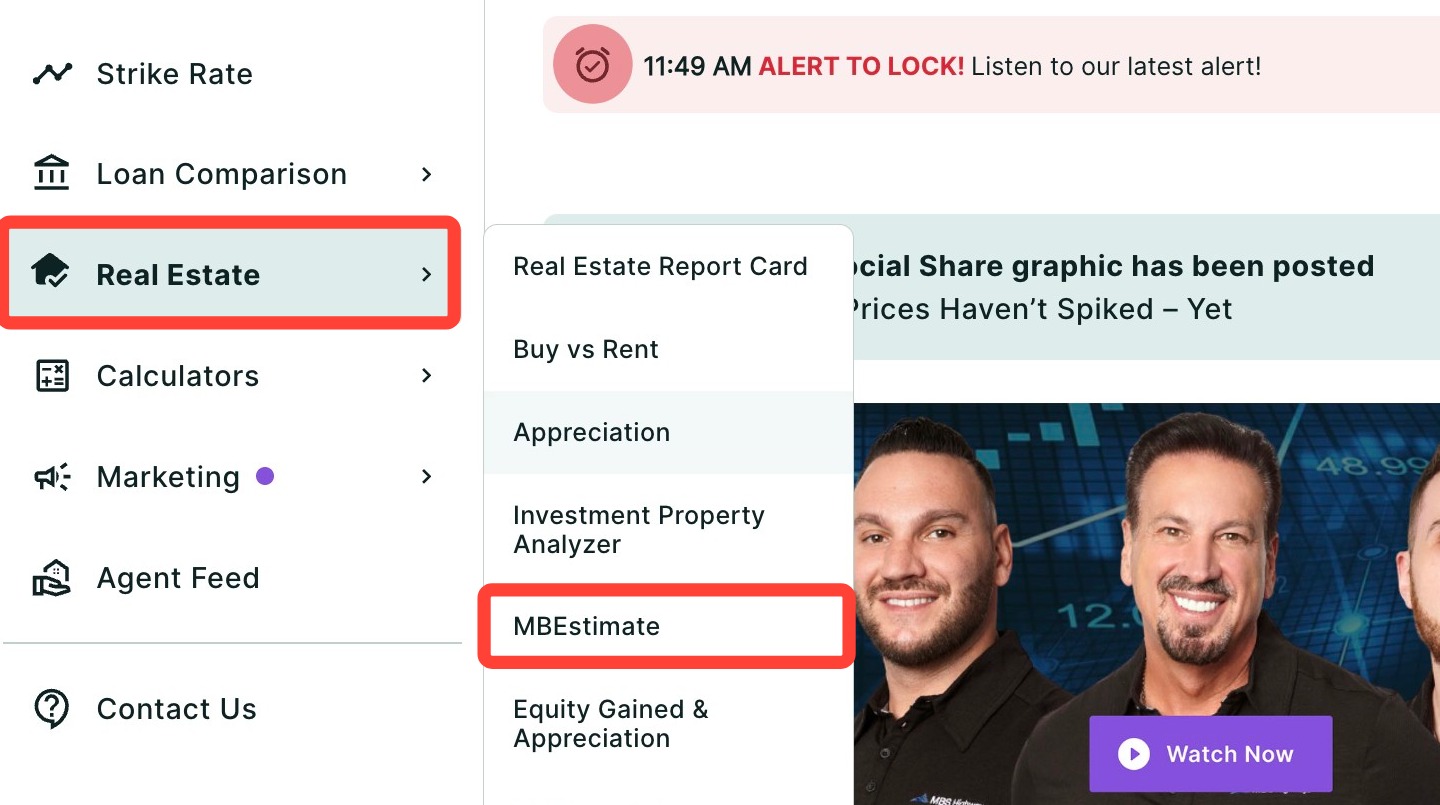
You can find the MBEstimate within the Real Estate tab of the left-hand navigation menu.
Navigating through the left-hand sidebar menu
To access the MBEstimate using the left-hand sidebar menu, click Real Estate, then click MBEstimate.
💡 Helpful Tip: You can also search and favorite reports, tools, and calculators. Click here to learn how.
|
Finding the MBEstimate for a Property
To generate an estimate for your client's property:
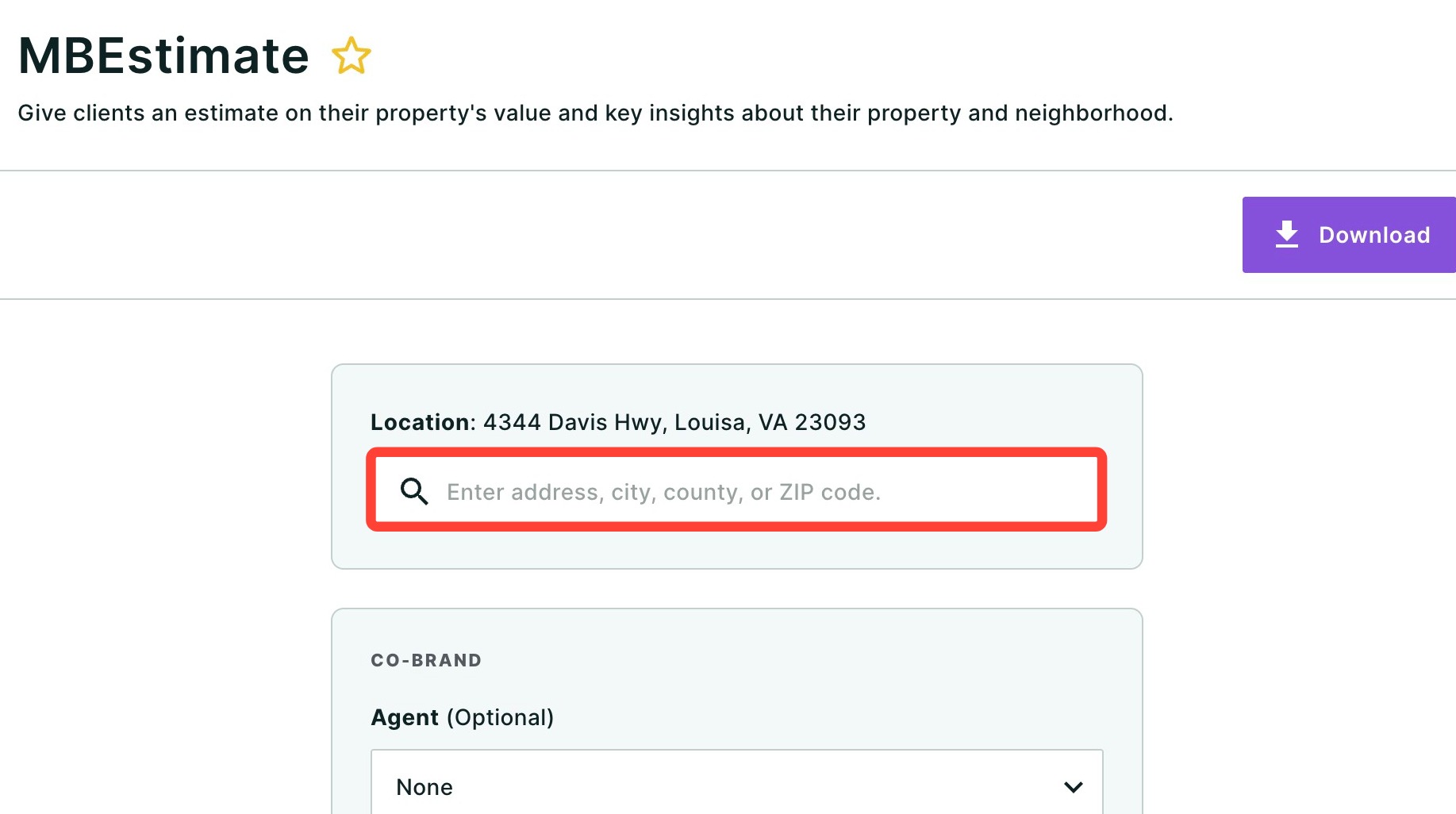
- Enter an address, including the unit # if applicable, and select the correct property from the dropdown.
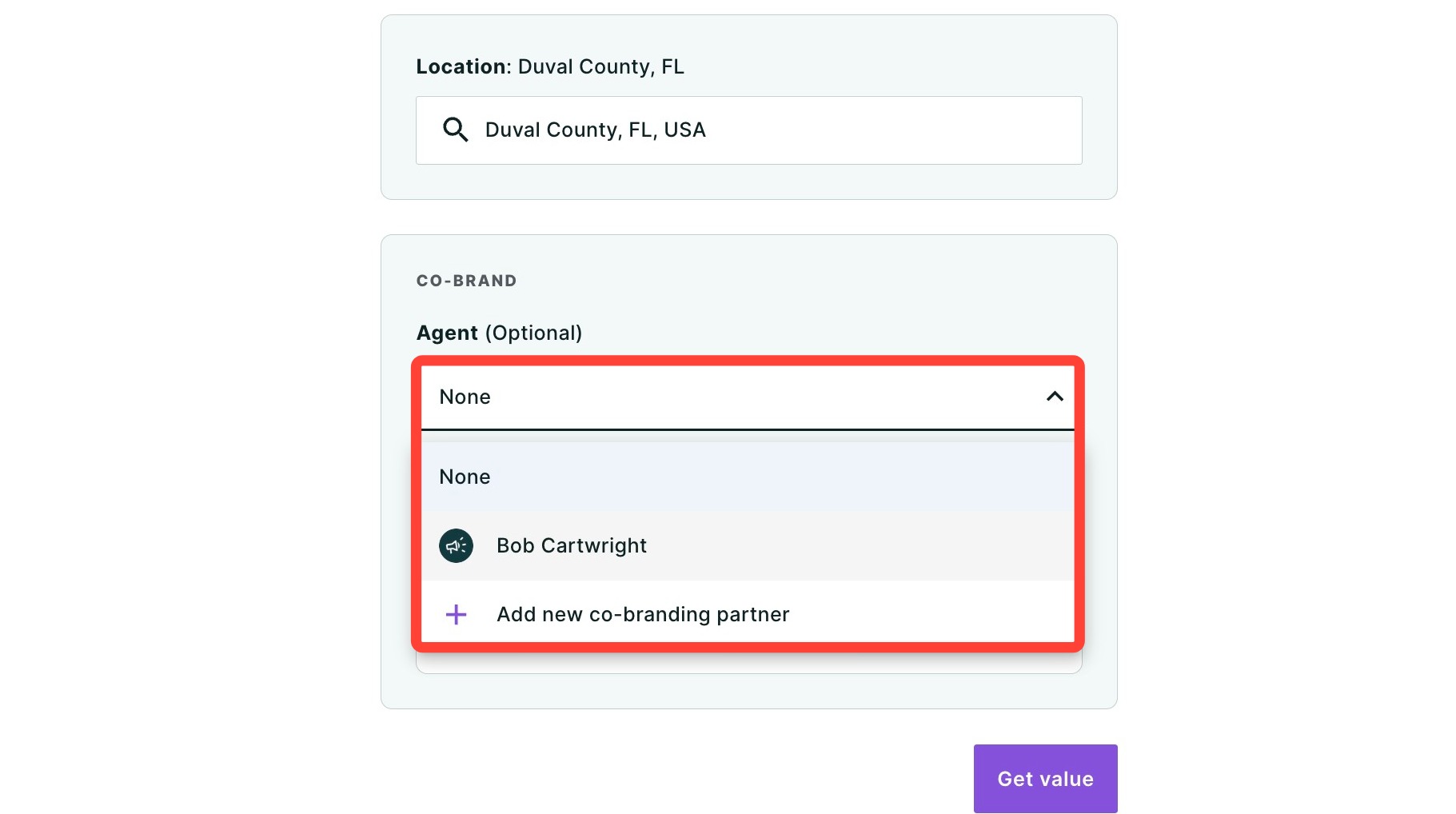
- Optional: If you would like to add an agent's co-branding to the final report:
- Use the drop-down to select an agent.
- If the agent's co-branding is not saved and available in the drop-down, click + Add new co-branding partner.
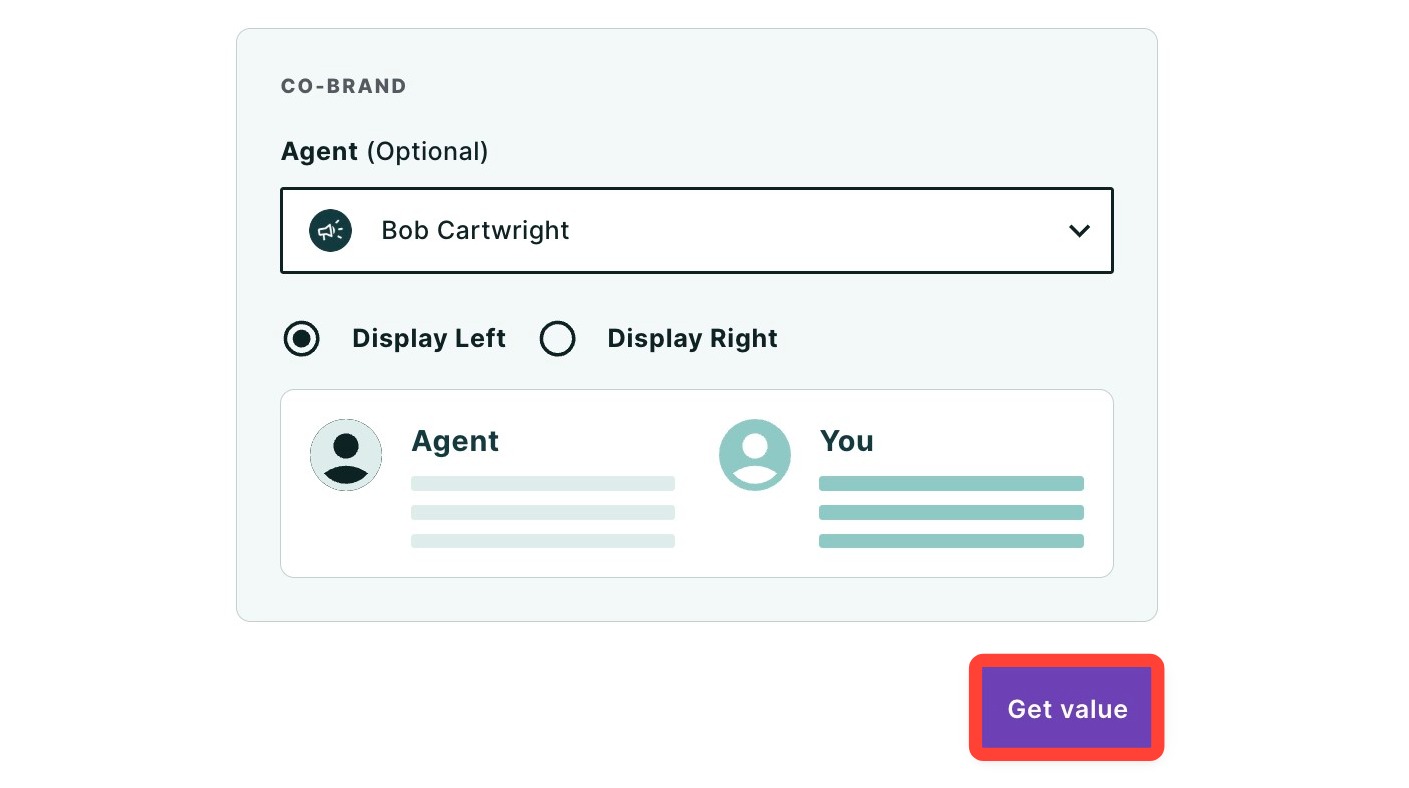
- Select either Display left or Display right to determine how you want the co-branding displayed on the report footer.
- Click Get value.
The valuation model for the property will be generated, including a low and high value estimate. We also provide a value confidence rating to help you gauge how confident we are in the estimated value.
Please note: This tool relies on public records of sales to provide valuations. It will be unable to provide valuations for vacant land, new construction, attached properties with 5+ units, or properties lacking the necessary data for themselves or their potential comps.
|
To understand what your report shows, read What's Inside your MBEstimate next.
Need Help?
Have questions or want to learn more? Submit a ticket or call us today!
Related to